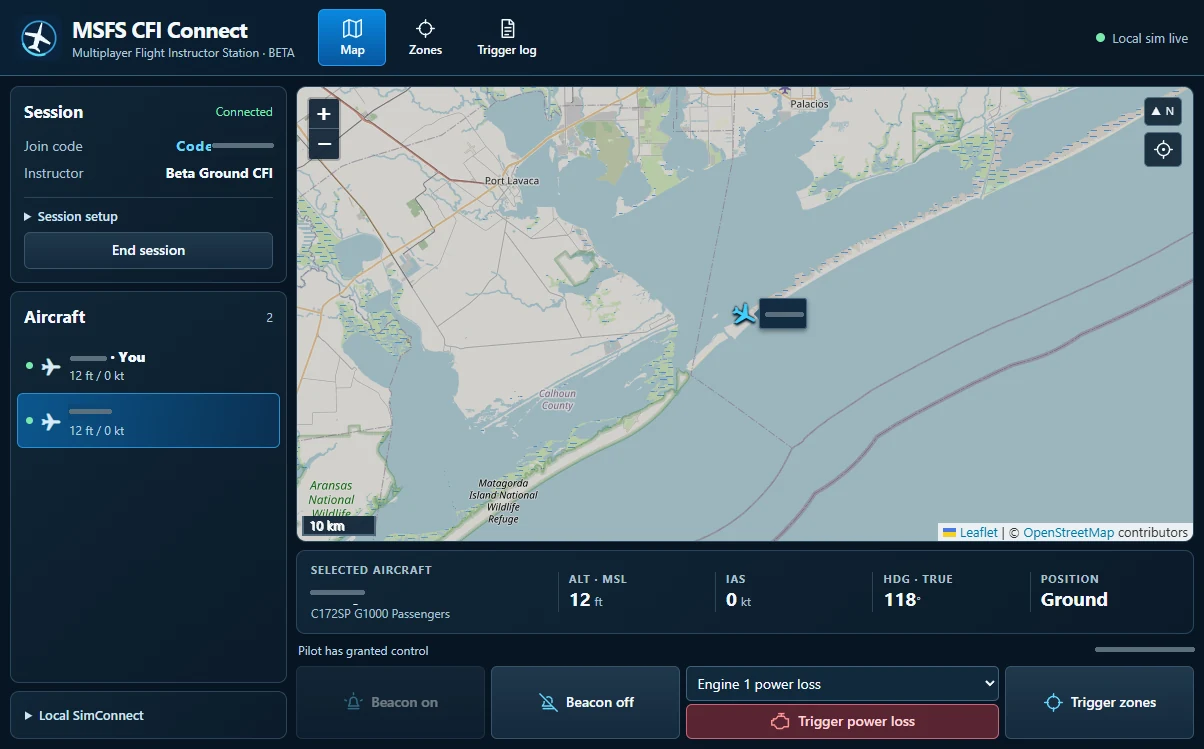
Monitor volunteer pilots on an instructor map and introduce aircraft emergencies with permission. Hidden zones trigger for all consenting pilots by default or one selected pilot.
Windows x64 with MSFS 2024. Use the matching 0.4.0 group relay, Instructor and Pilot Lite.
All 13 tested combinations applied and recovered on one PC in parked live MSFS flights.
C172SP G1000 Passengers: generator 1 offline, radio 1 power interruption, primary altimeter freeze, elevator trim jam, fuel feed 1 interruption.
DA62 Passengers and 747-8i passenger: the same except fuel feed. NAV1 can lose power during the radio 1 exercise.
Group and individual hidden zones, recovery and eligible engine actions. Actual aircraft effects are monitored; fuel feed recovery does not start a stopped engine.
Airborne and two physical simulator PCs are pending. Other aircraft/presets and additional failure candidates have no current support claim.
Installation
Instructor: extract Instructor Edition in a new folder, run the Group Relay and Windows Apps/MSFS CFI Connect.exe, create a session and give pilots the address and six-digit code.
Volunteer: extract Pilot Lite into a new folder, load MSFS 2024 Free Flight, open Pilot Lite, enter the relay address and code, and grant instructor control.
Select a volunteer and an available exercise. Check aircraft readback, then Recover. Pilots can revoke and recover locally.